
Products · Prices · Buying guides
Sugargoo Spreadsheet
Find the product, compare its options, and plan the order from purchase to delivery.

Browse product categories
What is Sugargoo, and how do you order?
Sugargoo is a purchasing and forwarding service for products from Chinese sellers. It helps organise buying, warehouse handling and the international parcel.
This independent spreadsheet brings together 2,429 product references, displayed USD prices and the corresponding Sugargoo purchase links. Use it to compare candidates; confirm the selected option and current charges on the platform before paying.
This is an independent product directory and buying guide. It is not the official Sugargoo website.
- Choose a product and its optionsUse the categories or search, then record the exact item, colour, size and quantity.
- Submit the order on SugargooOpen the product’s purchase link, confirm its options and the displayed charges, then pay the product order. Buying guide
- Review the warehouse QCCompare the received item with your saved selection. Resolve a discrepancy or request a useful view before sending it. QC guide
- Choose shipping and pay the freightSelect the items, packing and eligible route for your destination. Review the parcel quote and pay international shipping. Shipping guide
- Track the parcel and check deliveryFollow the carrier events and check the contents and condition when the parcel arrives. Tracking guide
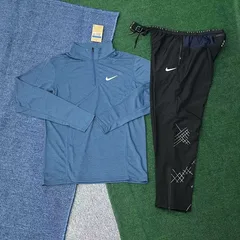 Sports Sets
 Casual Sets
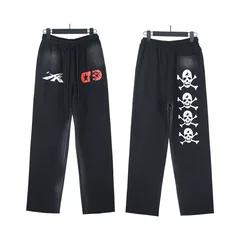 Joggers & Track Pants
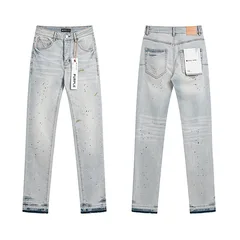 Jeans
Understand the short buying sequence
Select and confirm the offer, check whether it can be purchased, and review the item-payment details. When goods reach the warehouse, use the QC guide to compare them with your selection. Prepare an appropriate parcel and then evaluate shipping choices. The full buying guide separates these decisions without treating them as one payment or one delivery stage.
Check offers tools and buying experiences
Read about coupon conditions, payment methods and currency, uncertain payment attempts and shipping insurance before treating an advertised benefit as part of your order.
Choose by model source and the way you keep your list
For named clothing and footwear, compare ASICS section, Nike and Nike Tech section, Ralph Lauren and Lacoste polos section, Essentials hoodies section, Adidas and New Balance trainers section, designer trainers section, and slides clogs and short boots section. sections in this guide cover outerwear brands section and streetwear designs.
What a useful spreadsheet entry contains
The best Sugargoo spreadsheet for your shopping is the one that helps you reach a clear decision about real offers. A large collection can be enjoyable to browse but still leave you unsure which size to select, what the price includes or whether the link describes the pictured item. Evaluate a list with a few products you genuinely want rather than its headline alone.
Test the information you would rely on
Then try an item with a different selection problem, such as footwear. Check whether the size system is explained and whether the listed amount applies to the option you need. Two useful entries do not certify a whole collection, but they reveal whether its organisation supports your buying decisions.
Decide what value means for your purchase
A budget spreadsheet should help you see costs, not just sort the lowest displayed price to the top. In a hypothetical comparison, an item at 96 CNY with 11 CNY domestic delivery reaches 107 CNY before international shipping. A 103 CNY offer including that same domestic delivery is lower at this stage. These are illustrative numbers, not current product offers or a complete landed-cost calculation.
Price still does not settle fit, included pieces or product condition. A cheaper jacket that lacks the hood you need is not equivalent to the complete version. Compare the same requirements first, then the costs that cover the same stage.
A small, comparable shortlist
Build a small complete product record
Use one row for one clearly defined product option. Useful columns include the product name, source link, selected size or colour, quantity unit, listed currency and a short note about the decision still to make. Keep an item subtotal separate from international shipping and other charges.
For example, two rows labelled “black hoodie” become easier to compare when one names a cropped version and the other a full-zip jacket. More columns are not automatically helpful; add a field when it answers a recurring question.
Keep sorting from separating products and prices
A filter view can help narrow a shared list without treating the filtered selection as the complete catalogue. Keep currencies explicit: a bare number is not enough to compare offers in different currencies. Use payment guidance before interpreting a conversion as the charge you will actually pay.
Test ease of use with a real decision
Take a small shortlist through a simple check: can you recover the exact option, understand the included quantity and see what still needs verification? If not, fix that missing information before adding visual formatting. The best spreadsheet guide covers collection usefulness beyond the choice of software.
Turn a find into a usable product record
Make the description specific
Instead of saving “nice jacket,” write down whether you need room for layers, a particular length or pockets that close. For a bag, compare the opening and usable dimensions with the things you carry. This makes it easier to reject an attractive but unsuitable offer.
Translate style labels into product choices
An “old money” spreadsheet may help you explore restrained colours or simple silhouettes. For an actual purchase, turn that label into details such as collar shape, knit texture, trouser rise or how a piece combines with clothes you already own.
Keep only the details needed to choose
For each finalist, retain its address, selected option, measurements and included pieces. Add a short reason it remains on the list. Two similar items can then be compared by the difference that matters rather than by which image caught your attention last.
Read the size guide before choosing a clothing option and the image-search guide when starting from a photograph. The buying guide takes a selected find into the next stage, while the overview provides the full category map.